
Author: Tristan Webb | 9 min read | July 25, 2026
Why You Must Choose Wisely
When it comes to shared environments and office spaces it is important to consider the needs of those around you. When we talk about mechanical keyboards, they can be much louder than regular office membrane keyboards.
However, it does not rule out that you can’t get a mechanical keyboard it just requires several factors to be thought about before the purchase of one.
In this post I will help guide you through which mechanical keyboards are best for office usage and what to stay away from. Plus, I will also list the pros and cons for each keyboard so you can make the right decision without having to spend too much.
Why a Mechanical Keyboard?
Mechanical keyboards are fantastic choices when wanting to buy a long lasting and reliable keyboard. They last far longer than what membrane keyboards are and are highly recommended amongst users. This is really because a mechanical keyboard and suit all your needs. You can customise it, you can get different sizes and also incredible wireless features.
So the real question stems down to what brand of mechanical keyboard you are after and what to look out for when purchasing the keyboard. Things like switch types, size and even typing feel play a huge role in the keyboard you are wanting to obtain. You have to remember you are using this daily for HOURS on end and you need comfort.
So, before we get into what things you must look out for in detail and why and before I give my examples of which might be best for you in all various price ranges. Remember to conduct your own research as well as this is based off my experience in having over twelve different mechanical keyboards.
What To Look For
When choosing a mechanical keyboard for office use its very very important to consider these following factors before purchase and what to stay away from.
Key Switch Types
Switches: First and for most switches. This is a pivotal decision which you must make when buying a mechanical keyboard. In an office space you have the choice between two different switches this is either a tactile switch which are called brown switches and linear switches which are red switches. There are other switches but when purchasing a mechanical keyboard these will be primary options.
Red switches are great because they have no actuation bump and are a lot lighter in comparison to brown switches however if you are planning on doing a ton of typing and grammar and punctuation is as big factor they might fall behind. While they are quicker at typing, they are also prone to easily make spelling mistakes and lower typing accuracy. Besides that however they are quiet enough for office usage.
Brown switches are the ideal switch for office typing. While they require more actuation pressure than what reds do they have a bump around halfway down the key press and are fabulous for typing on. They are great for long typing sessions and just usage in general. The only problem with them is they are louder than red switches so if you are in a shared space someone might be annoyed by them. however, you can always dampen the sound, if need be, with O-rings.
Blue Switches are NOT RECOMMENDED these switches will annoy your colleagues substantially and your boss too. Don’t touch these with a 10-foot pole. They are not suitable for office usage. They are clicky and very loud and they will ask you not to bring that keyboard back again as it will be distracting. Now if you are using these for home usage however they are fine for that especially if you like the clicky sound they make. It sounds virtually like a typewriter.
Keyboard Size
Full Size mechanical keyboards are more or less the way to go. They are your standard size keyboard which includes all the keys. Depending on the brand you might have dedicated media switches or extra controls for audio. Some brands also feature MACRO dedicated keys, but I wouldn’t see the use for them in an office environment
Tenkeyless (TKL) which is 87 keys this omits the numpad for a more compact design not bad if you need more space on your desk however not necessary
75% layout or the 84 keys design this features a compressed layout without a function row but retains the arrow keys I would not really recommend this however for office usage.
This would probably be your limit for keyboard size in an office as the rest removes arrow keys and even though gives you more office space you have lost the numpad and function keys. Things which you need for everyday usage in an office.
Ergonomics & Comfort
Each mechanical keyboard depending on brand gives you different levels of comfort. Some people prefer for example Logitech over Razer. This can be because of how the keys sit or other simple things like wrist rests or key switch types. I will say wrist rests are going to be important for you especially if you are wanting to do typing for roughly 7.2 hours every day at work. You need that comfort also for how the keys feel and the resistance of each switch.
Note: From personal experience with writing and even gaming I have to give it to the brand Corsair. They make fantastic keyboards which are just great for typing on or even gaming. I owned a Corsair K70 Lux red switch and I loved it. The typing wasn’t mushy and it was overall a great experience when I was writing up essays and gaming too. Highly recommend looking into that brand.
Best Office Mechanical Keyboards
Before we get into which keyboards I recommend for your office usage it is important that you also do your research on these specific ones listed below.
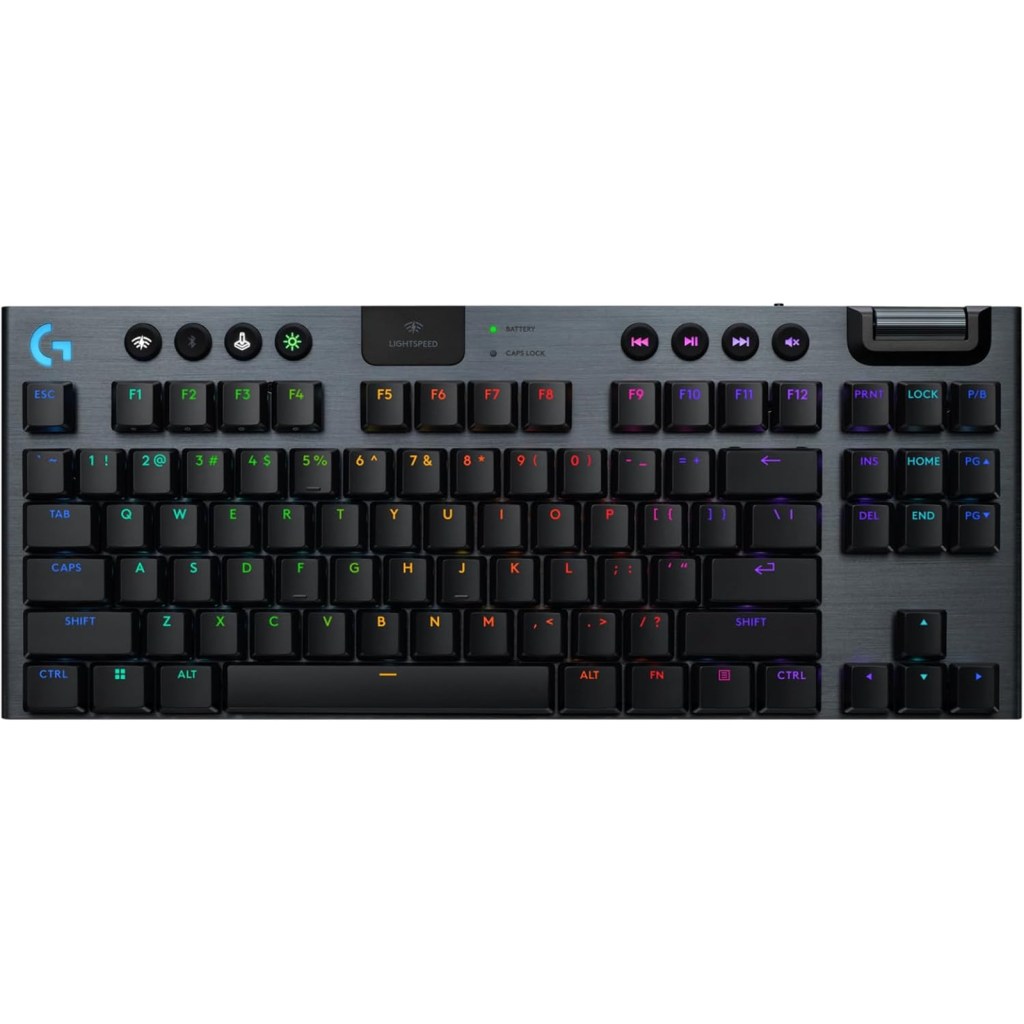
Logitech G915 TKL
This Logitech keyboard is highly rated. Firstly, for the pros it features a lightspeed wireless connection for ultra-low latency usage and low-profile mechanical switches as a bonus for extremely comfortable typing experiences. This keyboard prices around $200 – $230 USD.
Pros: There are a ton of pros with this keyboard I already mentioned some above. However, this keyboard comes with ultra-low latency meaning precise input. Low profile key switches making this keyboard more flag. It is wireless and is build out a of a high-quality grade material.
Cons: The real con to this keyboard is that it has a super high price. You can probably shop around and find a better deal but overall quite costly for an office keyboard. Other users have stated it can be quite a heavy keyboard and that it has a micro-USB connection.
User rate this keyboard
4.0 ⭐⭐⭐⭐
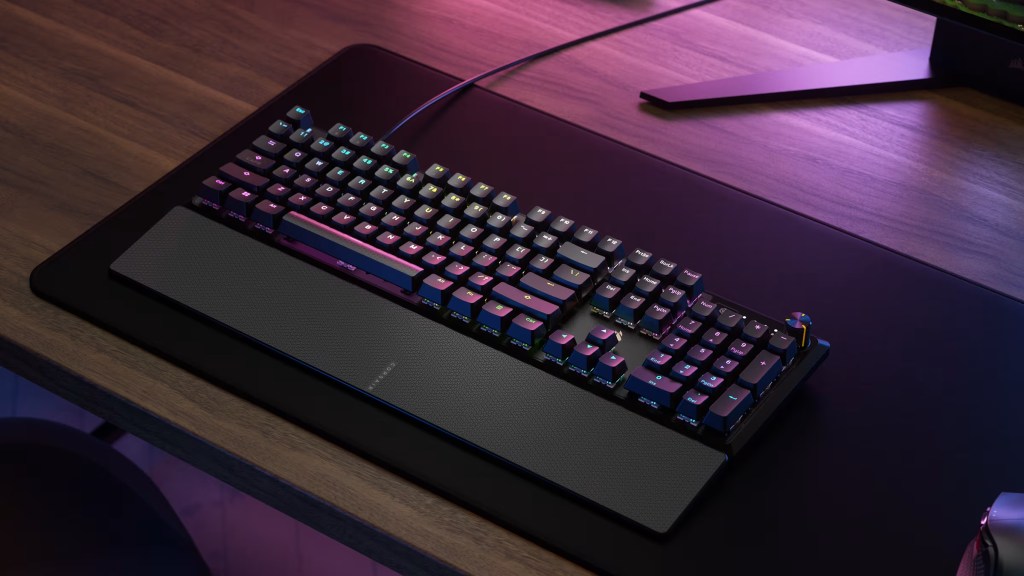
The Corsair K70 Core
This keyboard is a fantastic choice if you are a gamer and a keyboard enthusiast. This is due to its excellent typing experience and affordable price retailing around $100 USD this does vary however depending on the outlet.
Pros: This keyboard has excellent build quality made out of an aluminium finish. It also comes with pre-lubed mechanical switches which eliminates any squeaks or creaks when pressing down keys. It also has dedicated media keys and also comes with a wrist rest and is equipped with the MX red switches.
Cons: The cons of this keyboard are basically irelevant for office use however this keyboard does not support hot-swapping and also has fixed wiring so its not Bluetooth. Another thing is some users report the wrist rest to feel semi cheap.
Users rate this keyboard
4.8 ⭐⭐⭐⭐
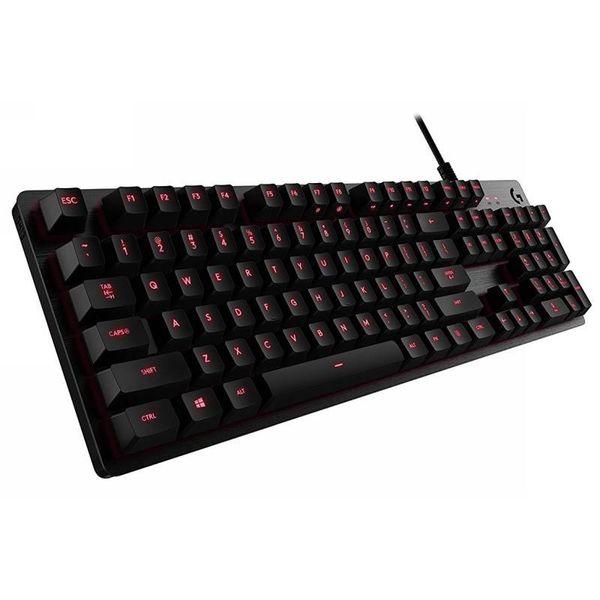
Logitech G413 SE
This keyboard is known to retail around $60-$90 at most retail outlets.
Pros: The keyboard is known for its durability and reliability with responsive keys and build quality. It is engineered with tactile brown switches and fantastic for gaming and productivity.
Cons: While this keyboard has high ratings it is also stated that it has limited software support, keys feel rather basic and it lacks premium features like hot-swapping keys and a braided cable
Reviewers rate this keyboard
4.2 ⭐⭐⭐⭐
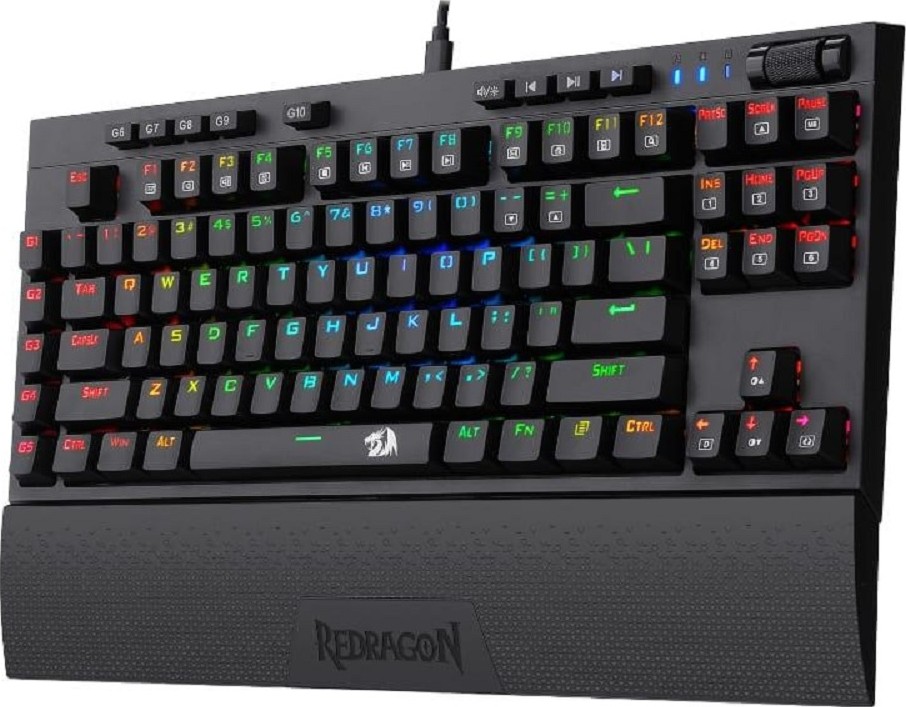
Redragon K596 Vishnu
This keyboard in all its quality retails around $60 USD making it a viable option for people wanting to try out a wireless mechanical keyboard.
Pros: This keyboard has a tri-mode connection meaning it is wireless. It has a more compact design removing the number pad but including the rest. It also comes with a wrist rest that is fairly sturdy.
Cons: The only problem with this keyboard is yes, it it on the cheaper end of things meaning it won’t have all the premium features like what the Corsair or Logitech keyboard might however its no problem for budget use. Plus, it’s not hot-swappable and the wireless mode has around 10 hours of straight usage before needing to be charged.
Users rate this keyboard
4.8 ⭐⭐⭐⭐
Summary
So in conclusion you have four different keyboards here to take a look at. they are all quality keyboards and will most certainly live up to your expectations. I would probably recommend only spending at most just over $100 for an office keyboard and if you want a higher quality one for home obviously invest whatever amount suits you best.
Overall recommendations I would say either the Corsair keyboard or the Logitech G413SE. However just double check before confirming to buy those keyboards that it is either a red or brown switch includes and don’t go for the blues.
However, I do say go check out some other sources of information and watch a few videos on these keyboards if you are interested in learning more about them. At the end of the day a keyboard comes down to your personal preference and needs.


Leave a Reply