Author: Tristan Webb | 5 min read | August 6, 2026
Introduction
When looking for a new gaming mouse, you will often see manufacturers advertising features like 1000Hz, 4000Hz, or even 8000Hz polling rates. But what do these numbers actually mean?
Does a higher polling rate make your mouse faster?
Does it improve your aim?
Is upgrading to a higher polling rate actually worth it? While polling rate is an important specification to understand, it is often misunderstood by gamers.
In this guide, we will explain what gaming mouse polling rate is, how it affects your gaming experience, and what polling rate you should choose.
What Is Gaming Mouse Polling Rate?
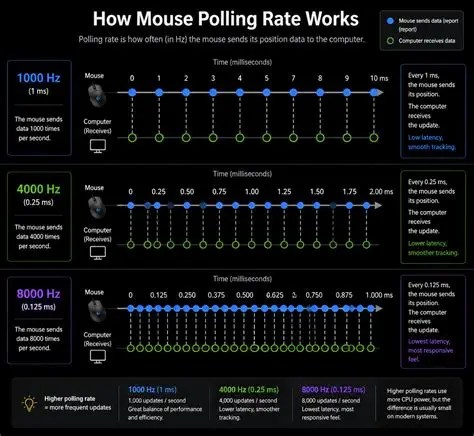
A gaming mouse polling rate refers to how often your mouse communicates with your computer every second.
It is measured in Hertz (Hz).
For example:
- A 125Hz mouse reports its position 125 times per second.
- A 500Hz mouse reports its position 500 times per second.
- A 1000Hz mouse reports its position 1000 times per second.
The higher the polling rate, the more frequently your computer receives updates from your mouse. A simple way to think about it is like your mouse giving your computer regular updates.
A lower polling rate means: “Here is my position less often.”
A higher polling rate means: “Here is my position more frequently.”
How Does Polling Rate Affect Gaming?
A higher polling rate can make your mouse feel more responsive by reducing the delay between your mouse movement and your computer receiving that information.
This can improve:
- Movement smoothness
- Tracking accuracy
- Response time
This difference is most noticeable during fast movements, such as:
- Flick shots
- Tracking moving targets
- Quick direction changes
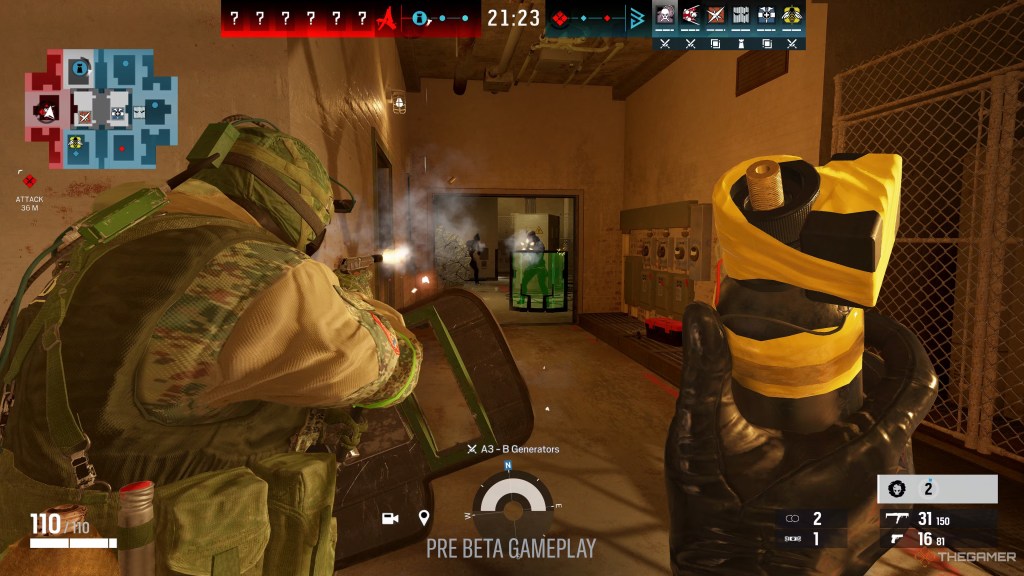
However, a higher polling rate does not automatically make you a better player. Your skill, mouse shape, sensor quality, and comfort will usually have a much larger impact on your performance.
Note: When I upgraded to my first ever gaming mouse I saw the difference already. Especially in the precision of where I was clicking. I originally had a $15 office mouse which was less responsive. As soon as I saved up for my first gaming mouse, I was instantly far better with FPS shooters than ever before.
125Hz vs 500Hz vs 1000Hz vs 8000Hz
Different polling rates provide different levels of responsiveness and have different uses.
125Hz
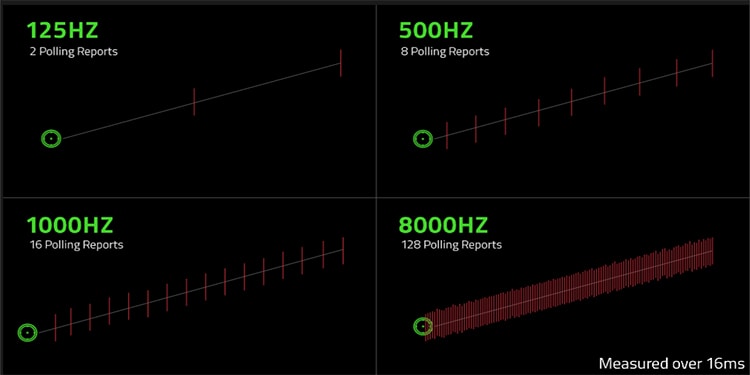
A 125Hz polling rate updates your mouse position every 8 milliseconds. While this was common in older mice, it is generally considered too slow for modern gaming.
Best suited for:
- Basic computer use
- Office work
- Non-competitive gaming
500Hz
A 500Hz polling rate updates your mouse every 2 milliseconds. This provides a smoother experience compared to 125Hz and is still perfectly usable for gaming.
Best suited for:
- Casual gamers
- Budget gaming setups
- General gaming
1000Hz
A 1000Hz polling rate updates your mouse every 1 millisecond. This has become the standard for modern gaming mice.
Benefits include:
- Smooth movement
- Reliable responsiveness
- Excellent balance between performance and hardware requirements
For most gamers, 1000Hz is the ideal choice.
4000Hz and 8000Hz
Higher polling rates like 4000Hz and 8000Hz are designed for gamers who want the maximum possible responsiveness. These mice can provide even more frequent updates, but the difference becomes much harder to notice compared to moving from lower polling rates.
Best suited for:
- Competitive FPS players
- Enthusiasts
- High-end gaming setups
Note: Personally, I have only used 1000Hz polling rate however I have seen the difference between 1000hz and 8000hz and if you are a serious FPS gamer guy I highly recommend spending that little extra for the 8k polling rate.
Does Higher Polling Rate Improve Aim?
A common misconception is that buying a mouse with a higher polling rate will instantly improve your aim. However, polling rate is only one part of gaming mouse performance.
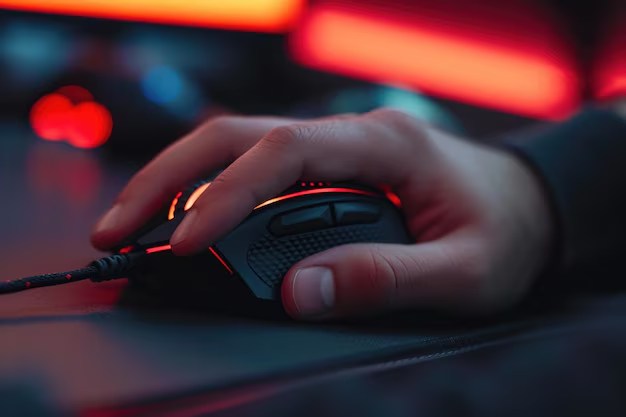
Other factors that matter include:
- Mouse shape
- Sensor quality
- Weight
- Grip style
- Your own experience and skill
A comfortable mouse with a great shape will usually perform better for you than an expensive mouse with an extremely high polling rate that does not suit your hand.
Are Higher Polling Rates Worth It?
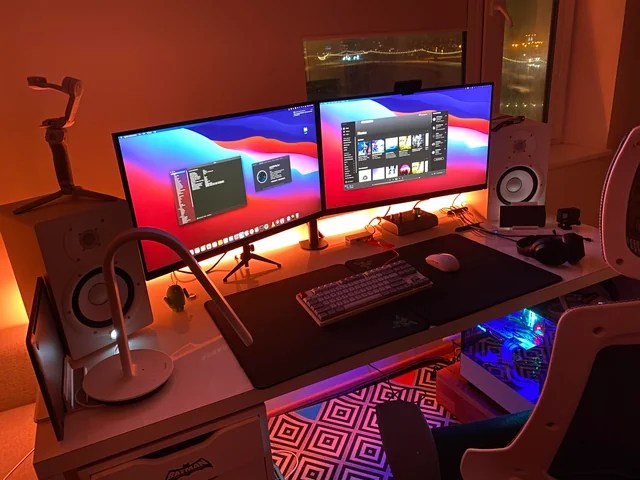
For most gamers, a 1000Hz polling rate is more than enough. Especially if you play a large variety of games.
The difference between:
125Hz → 1000Hz
Is much more noticeable than:
1000Hz → 8000Hz
Higher polling rates can also come with some downsides:
- Increased CPU usage
- Reduced battery life on wireless mice
- Higher hardware requirements
For competitive gamers, higher polling rates may be worth experimenting with. For everyone else, a quality mouse with a good sensor and comfortable design should be the priority.
What Gaming Mouse Polling Rate Should You Choose?
For most people:
1000Hz is the sweet spot.
It provides excellent responsiveness without unnecessary drawbacks.
Competitive FPS players may benefit from experimenting with:
- 2000Hz
- 4000Hz
- 8000Hz
However, the improvement will depend on your setup and whether you can actually notice the difference alongside how competitive you are wanting to be. If you’re going for comp upgrading to an 8k polling rate would be an acceptable decision.
Note: When I was a competitive Fortnite player an qualified and nearly qualified for cash cup I would have loved to have an 8k polling rate just so I know every millimetre I moved on the mousepad would be even more precise. Now it wasn’t necessarily needed but I would have been a great edition.
Conclusion
Gaming mouse polling rate is an important specification, but it is not the only factor that determines performance. A higher polling rate allows your mouse to communicate with your computer more frequently, creating smoother and more responsive movement.
However, buying a mouse with the highest polling rate available will not automatically make you a better gamer.
For most players, a reliable 1000Hz gaming mouse paired with a comfortable shape and quality sensor will provide you the best experience.


Leave a Reply