Author: Tristan Webb | 7 min read | August 18, 2026
When you’re shopping for a gaming mouse, you’ll probably come across a lot of impressive-looking specifications these may look like this.
26,000 DPI.
30,000 DPI.
650 IPS.
50G acceleration.
It can make choosing a mouse feel far more complicated than it needs to be. However, how much of this actually matters?
For most gamers, modern gaming mouse sensors are already extremely accurate. The numbers on the box can be useful, but they don’t tell the whole story — and a higher number doesn’t automatically mean a better mouse.
Here’s what you actually need to know about gaming mouse sensors.
What Is a Gaming Mouse Sensor?
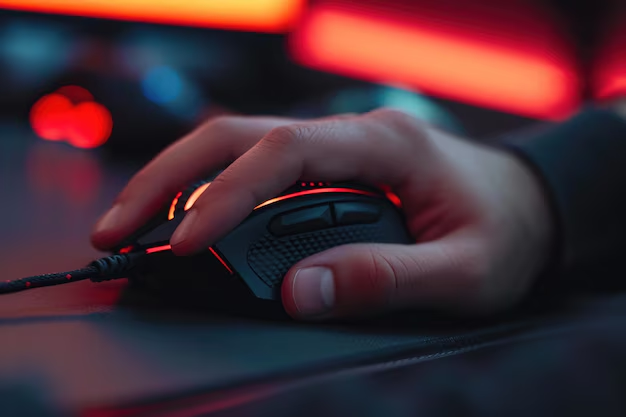
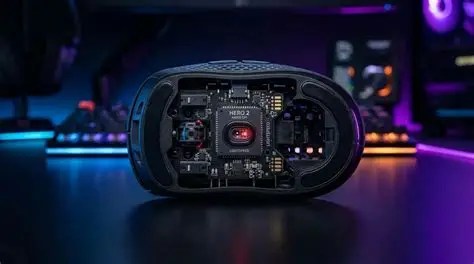
The sensor is essentially the part of your mouse responsible for detecting movement. As you move your mouse across your desk, the sensor tracks that movement and translates it into movement on your screen.
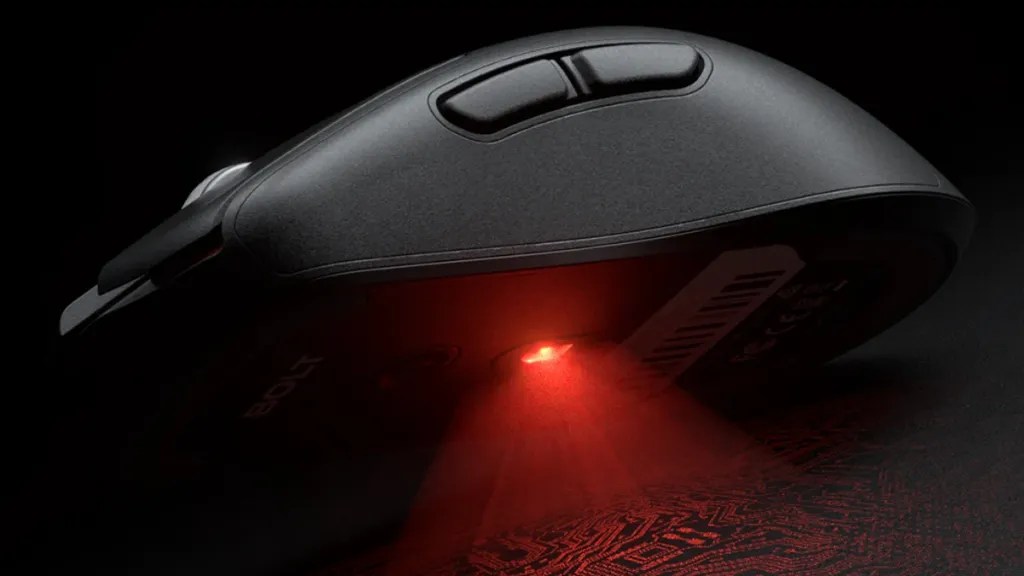
Most modern gaming mice use optical sensors, which use light to detect changes in the surface underneath the mouse. The sensor is one of the most important components of a gaming mouse, but it’s also one of the areas where manufacturers love to throw impressive specifications at you.
The trick is knowing which specifications actually matter.
DPI: How Sensitive Is the Mouse?
DPI stands for dots per inch.
In simple terms, it determines how much your cursor moves in response to physical mouse movement.
For example, a higher DPI means your cursor will travel further across the screen when you move your mouse the same physical distance.
But there’s an important distinction:
You might see a mouse advertised with 30,000 DPI, but that doesn’t mean you’ll play better at 30,000 DPI. Most gamers use considerably lower settings.
DPI is useful because it lets you adjust the sensitivity of your mouse to your preference. The maximum number printed on the specifications sheet isn’t particularly important for most people.
If you’d like a deeper explanation, I’ve covered this separately in [What DPI Actually Means].
IPS: How Fast Can the Sensor Track?
IPS stands for inches per second.
This tells you how quickly you can physically move the mouse before the sensor potentially struggles to track the movement accurately.
For example, a sensor rated at 500 IPS can theoretically track movement up to 500 inches per second.
That sounds important — especially if you’re playing a fast-paced FPS.
But there’s a catch.
Modern gaming sensors already offer extremely high tracking speeds.
Unless you’re aggressively throwing your mouse across your desk at speeds most people aren’t realistically reaching, you’re unlikely to hit the sensor’s limit.
So while IPS is a useful specification, don’t automatically assume that:
700 IPS > 500 IPS = better mouse.
At a certain point, the difference becomes largely irrelevant for normal use.
Note: The only time I really noticed a difference was going from a $60 gaming mouse to a $250 dollar gaming mouse. The way to describe it was, it felt more precise even if I chose not to use a mousepad with it.
Acceleration: Does Your Movement Stay Accurate?
Mouse acceleration can be confusing because it can refer to both software settings and the physical capabilities of a sensor.
For gaming, what you generally want is consistent tracking. If you move your mouse a certain distance, you want the cursor to respond predictably.
Modern gaming sensors are designed to provide very accurate tracking without unwanted acceleration or other tracking problems.
This is particularly important for competitive games where consistency matters. Rather than obsessing over whether one mouse has 40G and another has 50G acceleration, focus on whether the sensor provides reliable, consistent tracking.
Lift-Off Distance
Lift-off distance is how far you can lift your mouse from the surface before the sensor stops tracking movement.
This might sound like a minor detail, but it can actually matter if you regularly reposition your mouse.
For example, if you use a low sensitivity in an FPS game, you might frequently lift your mouse and move it back toward the centre of your mousepad.
A lower lift-off distance means the mouse stops registering movement sooner when you lift it.
This can help prevent your cursor from moving when you don’t want it to.
Fortunately, many modern gaming mice allow you to adjust this through their software, although the available options vary between models.
Note: Personally, I have not ever experienced a problem with lift off distance you don’t often lift your mouse off your desk even when you’re playing FPS games and when you do. The sensor will do a great job at picking it up.
Does the Sensor Actually Matter?
Yes — but probably not in the way you think.
A good sensor is important because you want your mouse to track accurately and consistently.
But once you’re looking at a modern gaming mouse from a reputable manufacturer, the differences between sensors can become much less noticeable than the specification sheets suggest.
You probably aren’t going to suddenly become a better player because you moved from a good modern sensor to an even newer one.
Instead, you’ll likely notice things like:
- The shape of the mouse
- Its weight
- How comfortable it feels
- Your grip
- The quality of the buttons
- The mouse feet
- Wireless performance
- The software
These can have a much bigger impact on your actual experience than what a specific sensor design will have.
What Should You Look For in a Gaming Mouse Sensor?
If you’re buying a gaming mouse, I’d focus on a few basic things.
Accurate tracking
The sensor should track your movements consistently without obvious issues.
Appropriate DPI range
You don’t need an enormous DPI number. You just need enough adjustment for your preferred sensitivity.
High enough IPS
Modern gaming mice generally provide more than enough tracking speed for normal gaming.
Low lift-off distance
This can be particularly useful if you’re playing at low sensitivity and frequently repositioning your mouse.
A reputable sensor
It’s worth checking reviews and specifications to make sure the mouse uses a proven modern sensor rather than simply buying based on marketing numbers.
What Matters More Than the Sensor?
This is probably the biggest takeaway from this article.
Don’t buy a gaming mouse based entirely on its sensor specifications.
A mouse can have an incredible sensor and still be a terrible fit for you.
If the shape doesn’t suit your hand, the buttons feel uncomfortable, the mouse is too heavy, or the wireless connection isn’t reliable, none of those impressive sensor specifications are going to save the experience.
I’d personally look at the mouse in this order:
1. Shape and comfort
2. Weight
3. Buttons and build quality
4. Sensor
5. Wireless performance
6. Software and additional features
The exact order can obviously change depending on what you care about, but the point is simple:
The sensor is important, but it isn’t everything.
So, Do You Need the Best Gaming Mouse Sensor?
For most occasions and most people, no.
You need a sensor that’s accurate, consistent and reliable.
You don’t necessarily need the mouse with the highest DPI, the highest IPS rating or the biggest number on the specification sheet.
Modern gaming mice have reached a point where sensor performance is already excellent.
That means your decision should come down to the whole mouse, rather than one impressive number.
Because ultimately, the best gaming mouse isn’t necessarily the one with the biggest specifications.
It’s the one that feels right when you actually use it.
Note: Looking for a new gaming mouse? Check out our other gaming mouse guides to compare shapes, sizes, features and price points before you buy. (Link)


Leave a Reply