Author: Tristan Webb | 8 min read | August 20th, 2026
For years, the choice between a wired and wireless gaming mouse was pretty simple. If you wanted the best possible performance, you bought wired.
If you wanted convenience, you bought wireless. However, gaming mice have changed quite a bit.
Modern wireless gaming mice can offer extremely low latency, long battery life and performance that can be difficult to distinguish from a wired connection.
So, is wireless actually better now?
Not necessarily. But for many gamers, it can be the better choice.
Here’s what you actually need to know before deciding between wired and wireless.
How Do Wireless Gaming Mice Work?
Before comparing the two, it’s worth understanding what actually happens when you use a wireless gaming mouse.
Most modern gaming mice use a 2.4GHz wireless connection through a small USB receiver.
You move the mouse, the sensor detects that movement, and the mouse sends that information to the receiver. The receiver then communicates with your computer.
The important part is that modern 2.4GHz gaming wireless isn’t the same thing as using a basic Bluetooth mouse. Gaming-focused wireless technology is designed specifically to keep latency low and maintain a reliable connection.
Many gaming mice also support Bluetooth as an additional option, but if you’re gaming, 2.4GHz is generally the connection you want to use.
Is Wireless Gaming Actually Slower?
This is probably the biggest concern people have.
“Won’t a wired mouse have less latency?”
Technically, a wired connection can have advantages because the mouse is directly connected to your computer. But that doesn’t automatically mean you’ll notice a meaningful difference in normal gaming.
Modern gaming wireless mice have become extremely responsive. For casual gaming, the difference is essentially irrelevant.
Even competitive players can use wireless mice successfully, and plenty of high-end gaming mice are specifically designed around low-latency wireless connections.
If you’re buying a modern wireless gaming mouse from a reputable manufacturer, you shouldn’t automatically assume you’re sacrificing performance just because there isn’t a cable attached to it.
My advice:
Don’t reject wireless because you assume it’s slow.
Look at the specific mouse and its wireless technology instead.
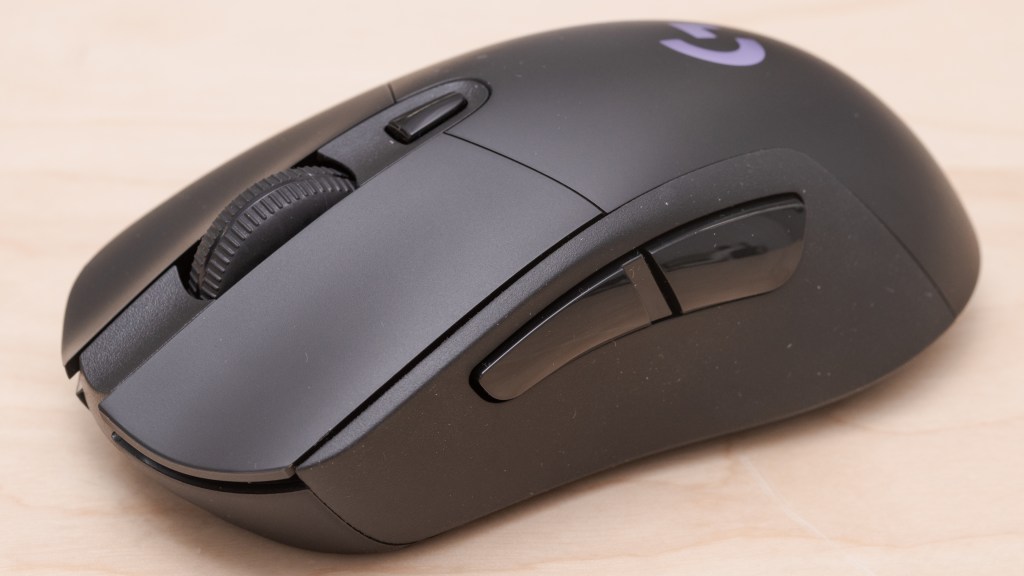
Note: From personal experience. I bought my first wireless gaming mouse not long ago it was the Logitech G703 Lightspeed and I haven’t looked back. It’s great for battery life. Alongside that it is also great to not have cable drag and I have not noticed any slower response when I switched to wireless.
The Biggest Advantage of Wired: Simplicity
Wired mice have one massive advantage.
You plug them in and use them.
There’s no battery.
There’s no charging.
There’s no wireless receiver to keep track of.
There’s no worrying about whether you remembered to charge your mouse.
You simply connect the cable to your computer and start playing and for some people, that’s exactly what they want.
If your mouse stays on the same desk all the time, having a cable might not bother you at all.
The Biggest Advantage of Wireless: Freedom
Wireless mice remove the cable from your setup. That might sound like a small thing, but once you get used to it, it can be surprisingly noticeable.
There’s no cable dragging across your desk. There’s no cable getting caught around your monitor stand and you have more freedom to move the mouse around your desk.
This can be particularly useful for gamers who use low sensitivity and regularly make large mouse movements. A cable can sometimes add a little resistance or friction to those movements.
With wireless, that cable simply isn’t there.
What About Battery Life?
Battery life is one of the main disadvantages of wireless.
Eventually, you have to charge it.
How often depends entirely on the mouse.
Some wireless gaming mice can last for weeks or even months depending on how they’re used and the features enabled.
Others will need to be charged more frequently. This is something worth checking before buying and there’s an easy solution if you’re worried about running out of battery:
Charge the mouse when you’re not using it.
Many wireless mice can also be used while charging, essentially turning them back into a wired mouse temporarily.
Does Wireless Make a Mouse Heavier?
This used to be a bigger concern than it is today.
Wireless mice need additional components such as a battery and wireless hardware, which can add weight. However, manufacturers have become much better at designing lightweight wireless mice.
You can now find wireless gaming mice that are extremely light. That means you shouldn’t assume:
Wireless = heavy.
Instead, look at the actual weight of the mouse you’re considering.
If you’re particularly sensitive to mouse weight, this is much more important than simply choosing wired or wireless.
What About Wireless Interference?
Another concern is interference.
If you’re using a wireless mouse, you’re relying on a wireless connection between the mouse and your computer. In theory, other wireless devices could interfere with that connection.
In practice, modern gaming mice are designed to handle this extremely well for most people, interference isn’t something you need to spend your time worrying about.
If you’re experiencing connection issues, however, your setup can matter.
Keeping the wireless receiver relatively close to the mouse and avoiding unnecessary obstacles can help maintain a strong connection.
Wired vs Wireless: Which Is More Reliable?
This is one area where wired still has a very simple advantage.
A cable is predictable.
If the cable is connected, the mouse works.
Wireless introduces additional variables such as:
- Battery level
- Wireless connection
- Receiver placement
- Potential interference
That doesn’t mean wireless mice are unreliable. It simply means there are more things involved.
For most modern wireless gaming mice, these aren’t serious problems but if you want the simplest possible setup, wired still wins.
Which Is Better for Competitive Gaming?
This is where things get interesting.
If you’re playing competitive FPS games, you might assume wired is automatically the better choice but that’s no longer necessarily true.
A good modern wireless gaming mouse can provide extremely responsive tracking and low latency.
At the same time, competitive gaming places greater importance on things like:
- Mouse shape
- Weight
- Sensor performance
- Grip
- Consistency
- Personal preference
So I’d avoid choosing wired purely because you believe it gives you a competitive advantage.
If you perform better with a lightweight wireless mouse because you don’t have a cable dragging behind it, that can be more important to your experience than the theoretical advantage of a wired connection.
Who Should Buy a Wired Gaming Mouse?
A wired mouse might be the better choice if:
- You want the simplest possible setup
- You don’t want to worry about charging
- You want to spend less money
- You don’t mind having a cable
- You’re happy with your current desk setup
- You don’t need the freedom of wireless
There’s nothing wrong with choosing wired. In fact, you can get an excellent gaming mouse without spending extra money for wireless functionality.
Who Should Buy a Wireless Gaming Mouse?
Wireless might be worth considering if:
- You dislike cable drag
- You want a cleaner desk setup
- You frequently make large mouse movements
- You want more freedom around your desk
- You’re willing to charge the mouse occasionally
- You’re looking for a lightweight modern gaming mouse
For many gamers, wireless has become the more convenient option without the major performance compromises that existed with older wireless technology.
Is Wireless Worth Paying More For?
This is probably the biggest question if two mice are almost identical, but one costs significantly more because it is wireless, is it worth paying extra?
That depends on how much you value the freedom from the cable.
If you don’t care about having a cable on your desk, save the money.
If you hate cable drag and want a cleaner setup, wireless could easily be worth the additional cost.
I’d also avoid buying an expensive wireless mouse purely because it’s wireless.
Look at the entire mouse.
Shape, weight, sensor, buttons and comfort should all matter.
Wireless should be a feature that improves your experience — not the only reason you buy the mouse.
Wired vs Wireless: My Verdict
Wireless gaming mice have come a long way. The old idea that wired is always better for gaming isn’t as straightforward as it once was.
Modern wireless gaming mice can provide excellent performance while giving you the benefit of having no cable dragging across your desk but that doesn’t mean wired is obsolete.
A wired mouse is still an excellent option if you want simplicity, reliability and value.
So rather than asking:
“Is wired or wireless better?”
I’d ask:
“Which one suits the way I actually use my mouse?”
If you don’t mind cables, wired can save you money.
If you hate cable drag and want more freedom, wireless could be worth it.
The best choice isn’t necessarily the one with the newest technology. It’s the one that makes your setup better for you.


Leave a Reply