Author: Tristan Webb | 7 min read | July 23, 2026
Why a Mechanical Keyboard?
Why choose a mechanical keyboard over a membrane keyboard? Is it worth the switch when you would need to put more money into getting a mechanical keyboard rather than a simple office membrane keyboard.
There are so many options and things to know when you are choosing your first mechanical keyboard and today, I will help you choose your first mechanical keyboard and supply you with a few options to get started.
Mechanical Keyboards or Membrane?
Mechanical keyboards are entirely different in comparison to membrane keyboards. However, both can be just as reliable as each other. This varies between brands and your reason of usage.
Membrane keyboards are more for your office jobs where you only need a small amount of money to buy a replacement if something were to happen to the keyboard like broken keys, unresponsive keys, PCB board shorting’s and frame cracking. However, the problem you face when getting a membrane keyboard is you might be able to buy them cheaper, but they tend to last nowhere near as long as what a mechanical keyboard can.
With that being said membrane keyboards are usually off the option for these days considering there are so many varieties of mechanical keyboards ranging from $50 – $400.
So, with that in consideration you should buy a mechanical keyboard over a membrane keyboard. Solely because of the variety in which you can obtain these days not to mention you can have CUSTOM designed variants, and you can even modify them yourself. This could range from key caps, key switches, sound dampening options, lighting, keyboard sizes and far more.
Things To Consider Before Buying
Buying a mechanical keyboard at first could feel quite overwhelming considering you want something that is going to be reliable and last for a dedicated period of time.
Let’s have a look at main components which you NEED to consider when buying your first mechanical keyboard.
Keyboard Size: An important factor to consider when purchasing your first mechanical keyboard is the layout size of said keyboard.
Now mechanical keyboards can come in full size meaning all 104 keys which includes the numpad and all function keys, Tenkeyless (TKL) which is 87 keys this omits the numpad for a more compact design, 75% layout the 84 which features a compressed layout without a function row but retains the arrow keys, 65% 68 keys layout which excludes the function row and has a compact layout and finally the 60% layout which is the smallest this 61 key size contains only alphanumeric keys, making it the most compact option.
Material: Its always advice you have a look at what material these keyboards are made from. They will always vary and the problem with ones which are of lower end quality is they will be able to flex more and have the chance of being able to crack easier than premium grade ones. Brands which have good quality but will cost a little more are for example Corsair & Logitech. However, for the most part most keyboards are made out of sturdy material and will last.
Customisation & Features: Some mechanical keyboards come with more features than others. Common things include macro keys or software support and RGB lighting. However, more features to look at are things such as being able to hot-swap key switches aka change out to a desired switch of your choice without having to buy a whole new keyboard. This can be cost effective however you must know what brand the key switches are and if they are interchangeable
Ergonomics & Comfort: Mechanical keyboards come with various ergonomics and comfort levels. Whether it’s simply a wrist rest to help support against wrist problems or low-profile keys maybe even a wireless option. These are all things to consider when purchasing a mechanical keyboard. However, its best to keep it simple especially if this is your first purchase of a mechanical keyboard.
Key Switches: A major factor when choosing a mechanical keyboard is the switch types. Typically, they come in three separate variants. Either clicky, tactile or linear. These play a major role in your typing experience.
Typically, these key switches come in blue (clicky), Brown (tactile) and red (linear). The difference between these to put it simply is the blue switch is loud and clicky and has a half actuation bump which triggers key presses quicker than having to bottom out the switch in a full press. The same goes for browns except they don’t have the clicky audible feedback. Red switches are linear and do not have the tactile bump when clicking meaning you will be able to bottom out the key quicker and easier than the other switches.
They all have different uses but to put it simply. Blues are great for typing (Preferable not in an office space). Browns are great for typing and also in office spaces plus gaming here and there and reds are great for gaming long sessions as there is less resistance when pressing a key giving you less chance of fatigue in long sessions.
Note: If you would like to learn more about key switches and which is best for your purpose, check out this article I wrote below.
Choosing Your First Mechanical Keyboard
Listed below are a few choices of mine when it comes to choosing your first mechanical keyboard. All of these are great first starts and are solid choices.
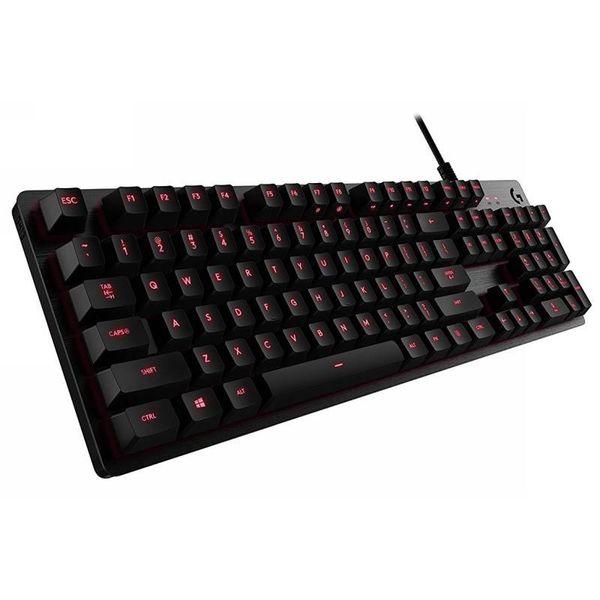
Logitech G413 SE
This keyboard is known to retail around $60-$90 at most retail outlets.
Pros: The keyboard is known for its durability and reliability with responsive keys and build quality. It is engineered with tactile brown switches and fantastic for gaming and productivity.
Cons: While this keyboard has high ratings it is also stated that it has limited software support, keys feel rather basic and it lacks premium features like hot-swapping keys and a braided cable
Reviewers rate this keyboard
4.2 ⭐⭐⭐⭐
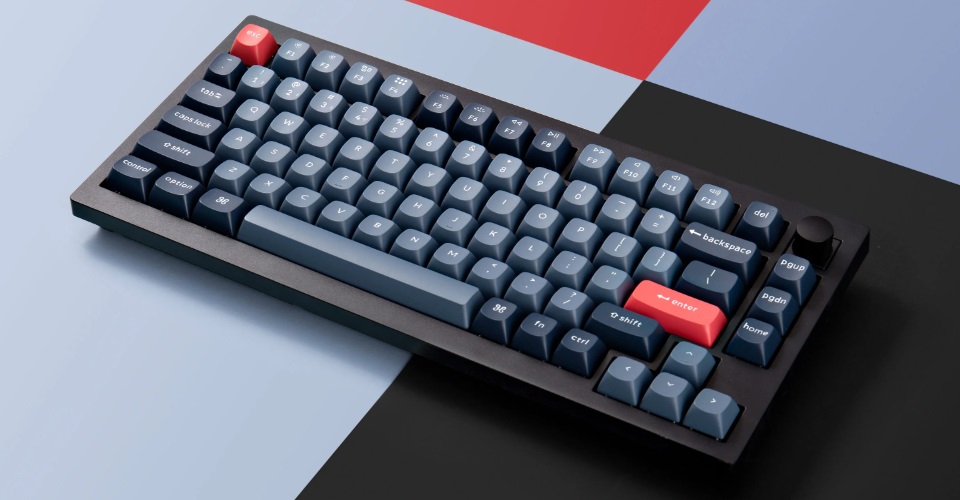
Keychron V1 Wired
The Keychron V1 has various options such a wireless version and also a 8k polling rate version but today we are looking at the Keychron V1 75% wired model retailing around $60-$70
Pros: The Keychron V1 is fitted with Keychron K pro red switches offering a smooth performance when playing games. It is also perfect for its 75% size making it easier to use when traveling. The build quality is a sturdy plastic shell with double PBT keycaps for durability and also provides you with low latency.
Cons: This keyboard does come with flaws, however. The main being an uncomfortable 12 degrees which may hurt wrists or hands with long term sessions. A light flex although not bad could cause problems long term with potential for the tray cracking. Some say that being wired only is a problem while others state its budget and not a big issue.
Reviewers rate this keyboard
4.5 ⭐⭐⭐⭐
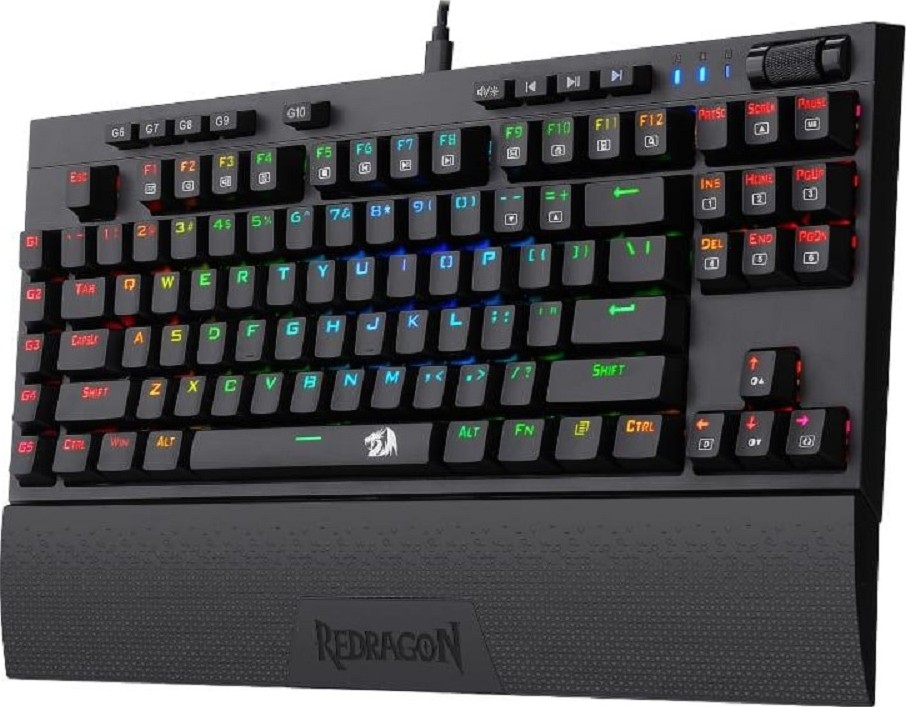
Redragon K596 Vishnu
This keyboard is quite a versatile keyboard featuring a 2.4 GHZ wireless mode and up to 10 hours of battery. This keyboard has a sleek design and has a great portable design. Its comfortable for usage having reports of being able to use for long durations without fatigue.
This keyboard in all its quality retails around $60 USD making it a viable option for people wanting to try out a wireless mechanical keyboard.
Pros
- Tri-Mode Connection
- Compact Design
- Wrist Support
- Macro Programming
- Low Cost
Cons
- Lower Premium Finish
- Not Hot-Swappable
- Short Batter Life (10 Hours)
Users rate this keyboard
4.8 ⭐⭐⭐⭐
Summary
When it comes to buying your first mechanical keyboard simply remember these questions.
- What’s the switch type?
- Can I modify this keyboard?
- Is it hot-swappable?
- What’s it made out of?
- What’s the size?
If you remember those key components and stay within your price range, I am more than positive you will be able to have your first mechanical keyboard in no time. Everything when it comes to tech shopping especially keyboard shopping comes down to YOUR personal preference and how much you are willing to put into it.
Personally, I would recommend that you don’t buy the most expensive keyboard but shop around with a middle tier price keyboard like some of the ones I mentioned above.


Leave a comment