Author: Tristan Webb | 3 min read | August 4, 2026
If you’ve ever looked at a gaming mouse, you’ve probably seen manufacturers advertise numbers like 16,000 DPI, 26,000 DPI, or even 42,000 DPI. At first glance, it might seem like a higher DPI automatically means a better mouse—but that’s not always true.
Understanding what DPI actually means can help you choose the right gaming mouse and avoid paying for features you’ll never use.
What Is DPI?
DPI stands for Dots Per Inch. In simple terms, it measures how sensitive your mouse sensor is. A higher DPI means your cursor moves further across your screen with less physical movement of the mouse.
For example:
- 400 DPI – Slower cursor movement, requiring larger hand movements.
- 800 DPI – A popular balance for everyday use and gaming.
- 1600 DPI – Faster cursor movement with less physical movement.
- 3200+ DPI – Extremely sensitive, often requiring very small hand movements.
Think of DPI as your mouse’s sensitivity setting rather than a measure of quality.
Does Higher DPI Mean Better Performance?
Not necessarily.
Many manufacturers advertise extremely high DPI numbers because they’re easy to market, but most gamers never use these settings. For many FPS players, a DPI between 400 and 800 is common because it offers greater precision when aiming.
For productivity or general desktop use, many people are comfortable between 800 and 1600 DPI.
Higher settings can be useful for:
- Ultra-high-resolution monitors
- Multi-monitor setups
- Users who prefer very fast cursor movement
However, using the maximum DPI available on your mouse isn’t usually recommended because it can make precise movements much harder to control.
DPI vs Mouse Sensitivity
One common misconception is that DPI and in-game sensitivity are the same thing however they’re actually different.
- DPI controls how sensitive your mouse sensor is.
- In-game sensitivity changes how your game responds to that mouse movement.
Both settings work together to determine how your mouse feels. Many players adjust both until they find a comfortable balance.
Should You Buy a Mouse With 30,000+ DPI?
For most people, the answer is probably no.
Modern gaming mice often advertise extremely high DPI values, but these numbers shouldn’t be your main buying decision.
Instead, consider things like:
- Sensor accuracy
- Weight
- Shape and comfort
- Build quality
- Wireless performance
- Battery life (if wireless)
These factors usually have a much bigger impact on your overall experience than whether a mouse supports 26,000 DPI or 36,000 DPI.
What DPI Should You Use?
There’s no perfect setting because everyone has different preferences.
A good starting point is:
| Use Case | Recommended DPI |
|---|---|
| Competitive FPS | 400–800 |
| General Gaming | 800–1600 |
| Everyday Use | 800–1600 |
| Multi-Monitor Setups | 1600–3200 |
Don’t be afraid to experiment. Most gaming mice allow you to change DPI with software or a dedicated DPI button, making it easy to find a setting that feels comfortable.
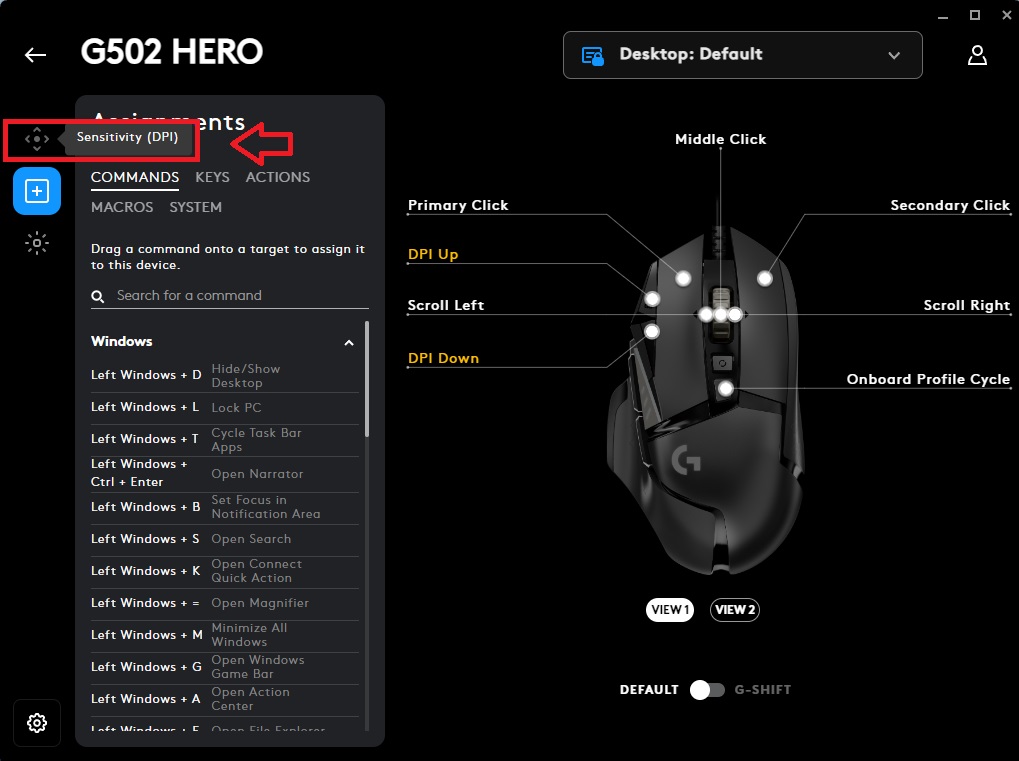
Note: I personally use 600 DPI which is a comfortable range for competitive fps games. For example, it’s one of the best DPI settings to use in games like Rainbow Six Siege, Apex Legends and even Call Of Duty.
Final Thoughts
DPI is one of the most advertised features on modern gaming mice, but it’s also one of the most misunderstood.
A higher DPI doesn’t automatically make a mouse more accurate or improve your gaming performance. Instead, DPI simply changes how sensitive your mouse is.
For most people, finding a comfortable DPI and choosing a mouse with a reliable sensor, comfortable shape, and good build quality will make a much bigger difference than chasing the highest DPI number on the box.
Gaming mice are only one part of creating a comfortable gaming setup. If you’re also thinking about upgrading your keyboard, understanding the different mechanical switch types is just as important.
Whether you’re choosing between Red, Brown, or Blue switches, our guide explains how each one feels and which type is best for gaming, typing, or everyday use.
→ Read our guide: Red vs Brown vs Blue Switches Explained


Leave a Reply