Author: Tristan Webb | 5 min read | July 17, 2026
What Is a Mechanical Keyboard?
Mechanical keyboards are not like your regular keyboard. They use individual mechanical switches for all keys. Unlike membrane keyboards, mechanical switches offer precise, tactile and durable keypresses offering a far superior experience.
For instance, with a membrane keyboard which is usually cheaper than a mechanical comes with downsides one of those is you will not be able to type after holding down 2-6 keys simultaneously depending on brand and quality. This is not a huge deal but can be a problem especially if you are into gaming.
Switch Variations
Mechanical keyboards come with a variation of three sorts of switches. All serve a different purpose and a unique typing experience. It is important to choose wisely, and it solely depends on the purpose you are using the keyboard for.
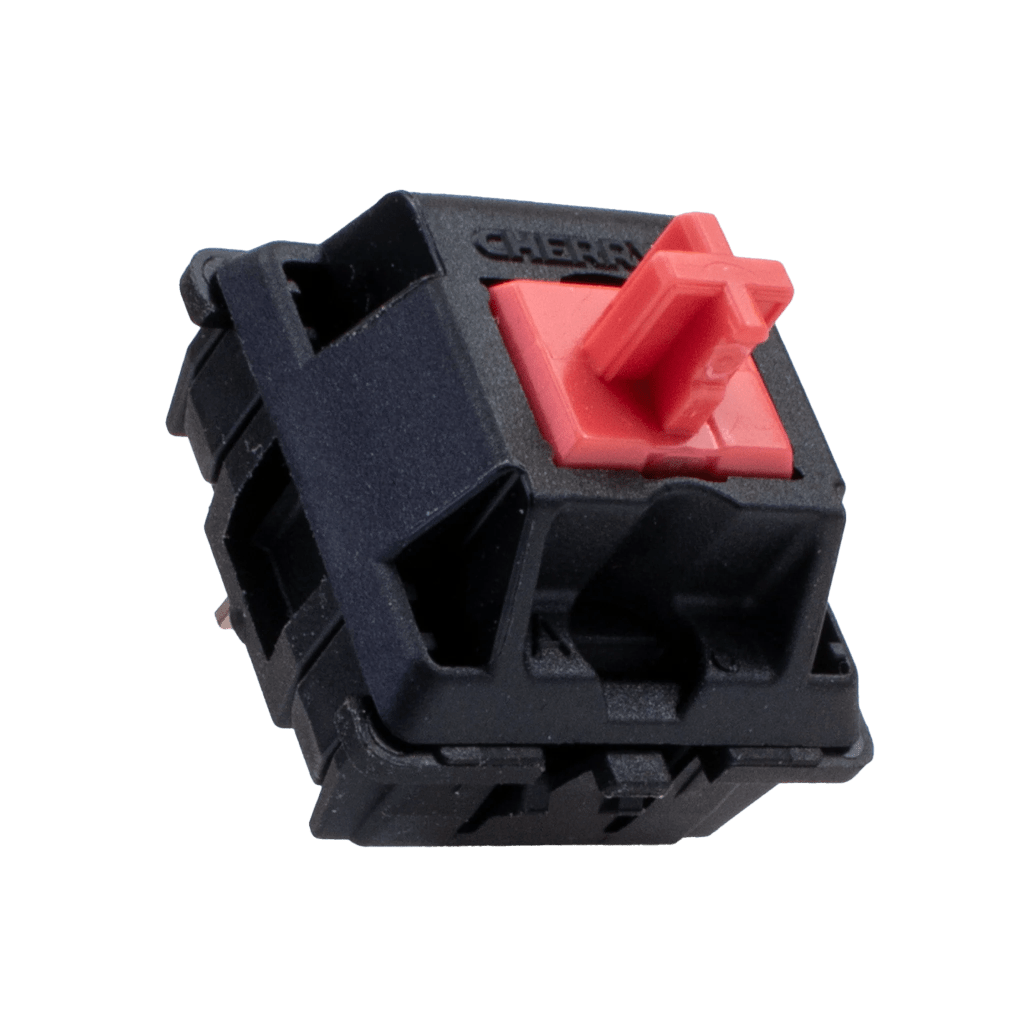
Linear Switches
Linear switch mechanical keyboards are built for smooth keystrokes. There is no bump between keystrokes unlike tactile or clicky switches and are virtually silent.
These switches are best for those who do fast quick typing or competitive gaming.
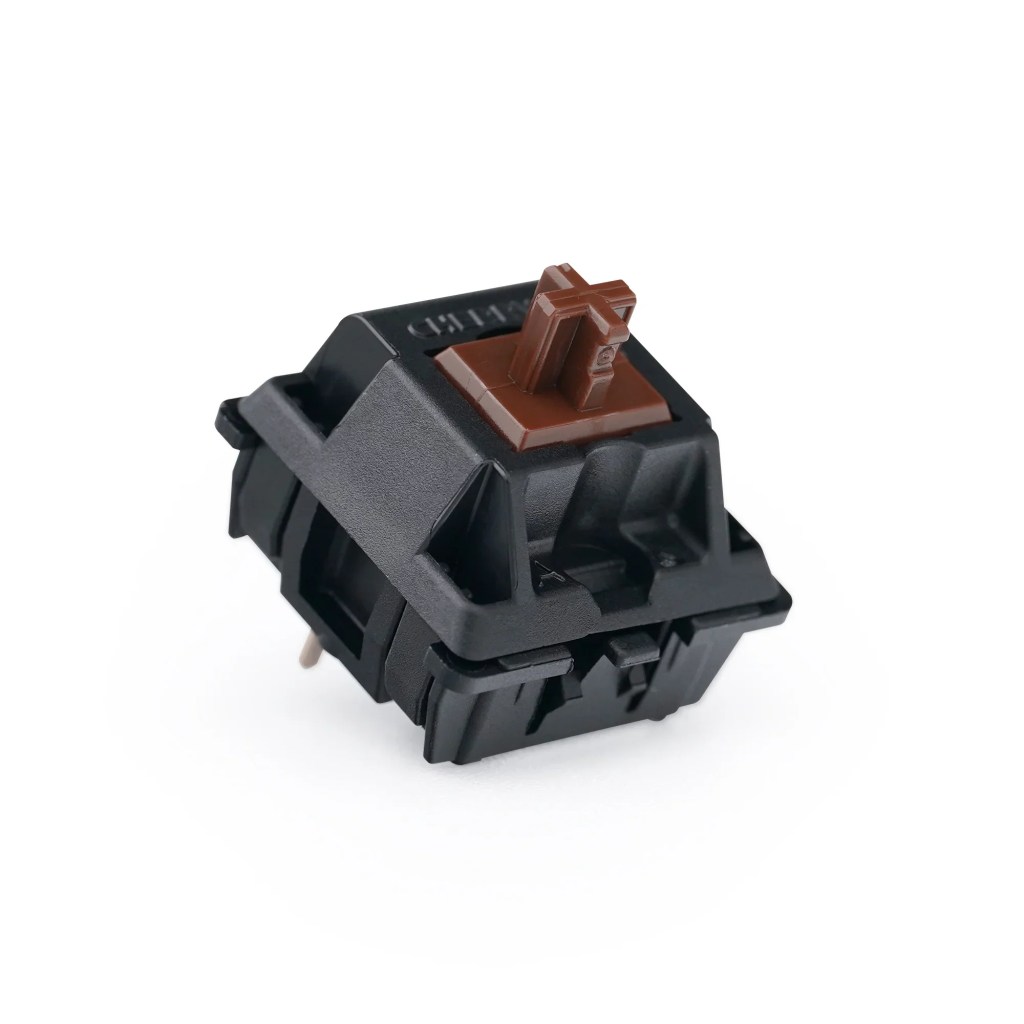
Tactile Switches
Tactile switch mechanical keyboards are a great in-between. While still offering a tactile bump at half keypress.
While they are not entirely silent, they are far quieter than the clicky switches while still offering audible feedback and improving typing accuracy.
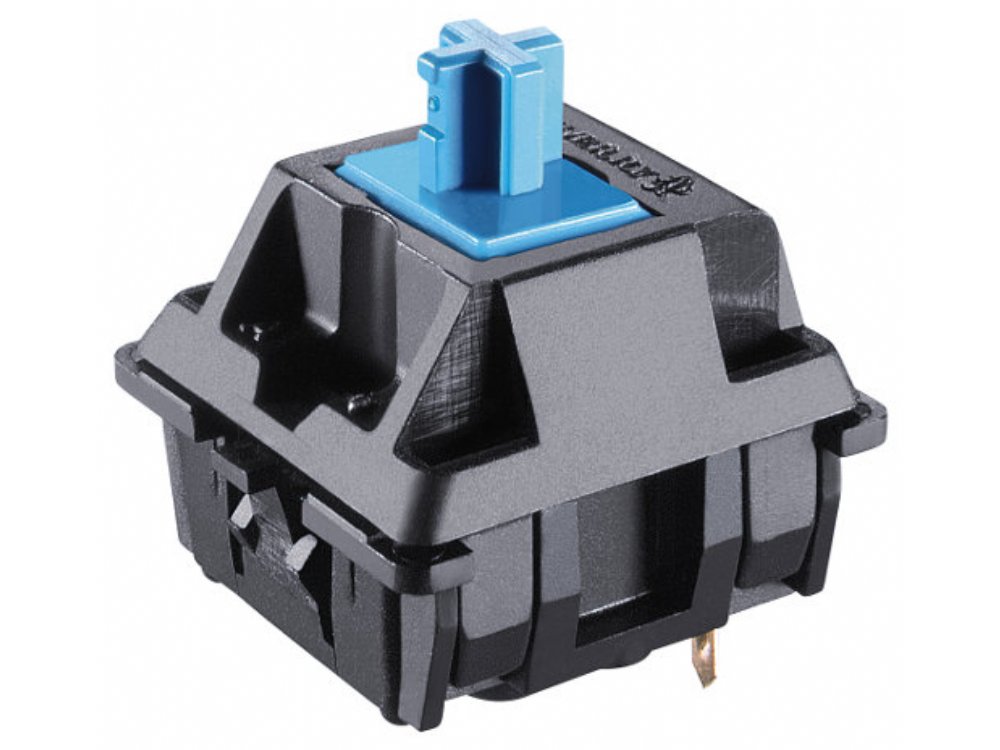
Clicky Switches
Blue switch mechanical keyboards or clicky keyboards offer a nice, relaxing typing experience. They are preferred by those who love audible feedback and are similar to tactile switches.
While decent they can be quite noisy and distracting especially in office spaces or late at night.
NOTE: In my personal experience having tried all three of these switches your best option would be to grab the tactile switches as having the bump every keystroke really makes a difference. Linear switches are good for competitive gaming but if you are multitasking with other projects I would not recommend. Clicky switches are simply cosmetic but are great for typing. My recommendation is to either have two different keyboards either the red or blue switch or settle for one and buy a tactile brown.
4 Best Mechanical Keyboards Under $100
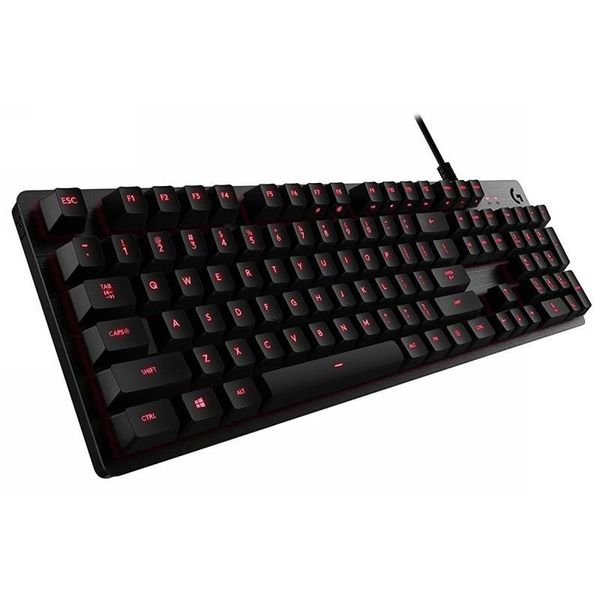
Logitech G413 SE
This keyboard is known to retail around $60-$90 at most retail outlets.
Pros: The keyboard is known for its durability and reliability with responsive keys and build quality. It is engineered with tactile brown switches and fantastic for gaming and productivity.
Cons: While this keyboard has high ratings it is also stated that it has limited software support, keys feel rather basic and it lacks premium features like hot-swapping keys and a braided cable
Reviewers rate this keyboard 4.2⭐⭐⭐⭐
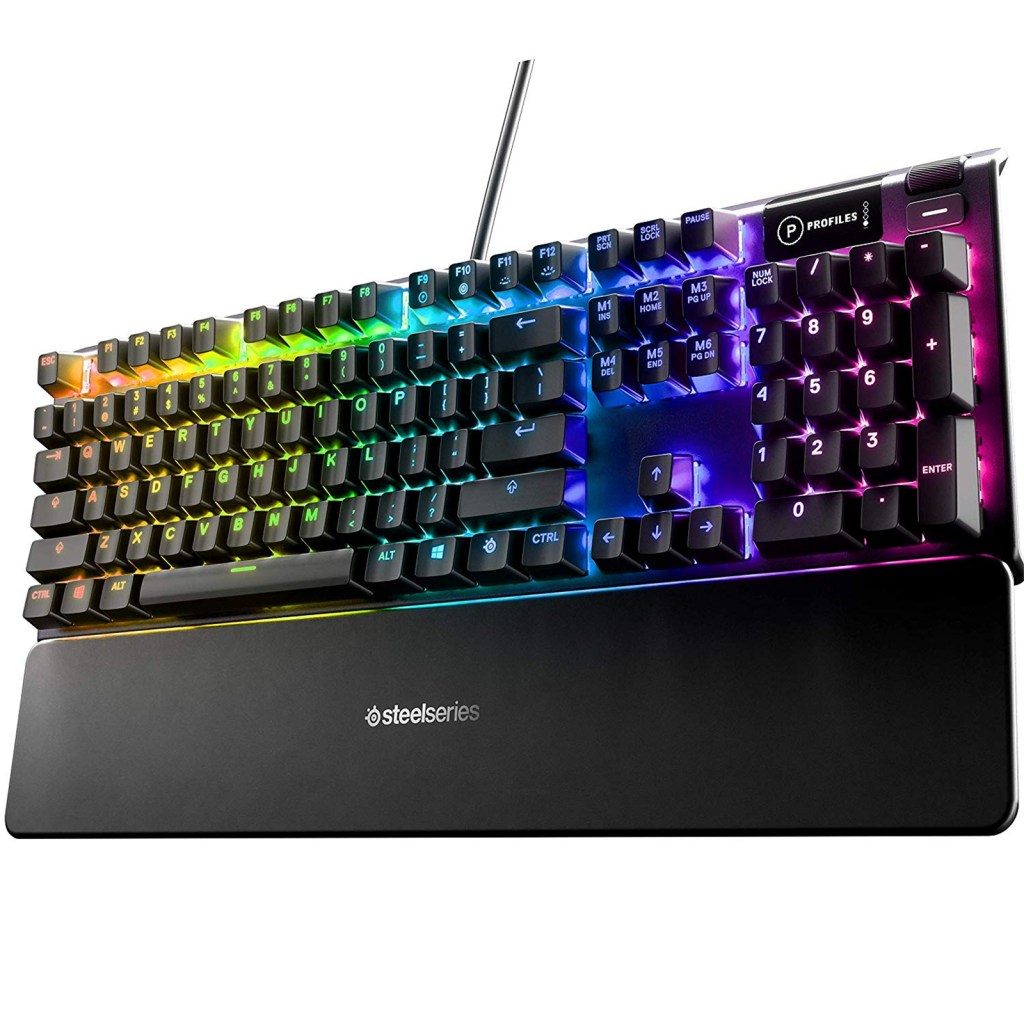
SteelSeries Apex 5
This keyboard is known for retailing in most outlets around $90-$100.
Pros: The SteelSeries brand is known for its premium like features. This keyboard includes blue switch keys, extensive RGB customisation, aircraft-grade aluminium alloy and a magnetic detachable wrist rest. Making this keyboard a strong all-round keyboard with excellent durability.
Cons: Although this keyboard is a strong pick it has been known for HIGH LATENCY for a wired keyboard a big factor to consider if you are gaming. Another is it has blue switches and while great for typing for its soothing sounds can become quite annoying if you plan on playing late nights.
Reviewers rate this keyboard
4.0 ⭐⭐⭐⭐
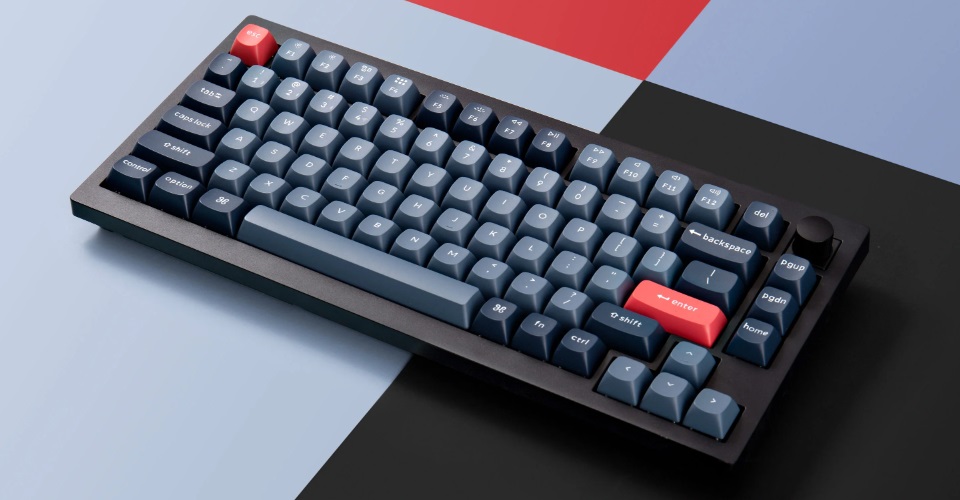
Keychron V1 Wired
The Keychron V1 has various options such a wireless version and also a 8k polling rate version but today we are looking at the Keychron V1 75% wired model retailing around $60-$70
Pros: The Keychron V1 is fitted with Keychron K pro red switches offering a smooth performance when playing games. It is also perfect for its 75% size making it easier to use when traveling. The build quality is a sturdy plastic shell with double PBT keycaps for durability and also provides you with low latency.
Cons: This keyboard does come with flaws, however. The main being an uncomfortable 12 degrees which may hurt wrists or hands with long term sessions. A light flex although not bad could cause problems long term with potential for the tray cracking. Some say that being wired only is a problem while others state its budget and not a big issue.
Reviewers rate this keyboard
4.5 ⭐⭐⭐⭐
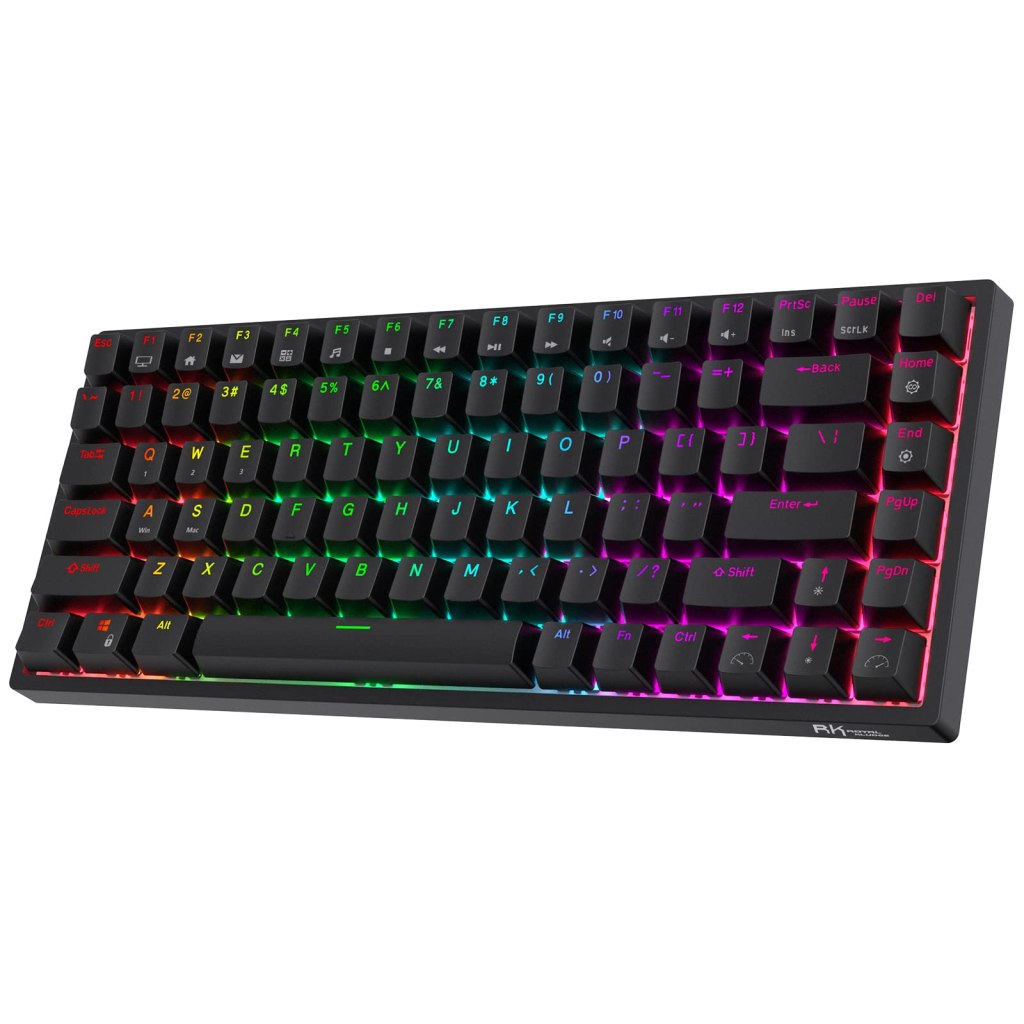
Royal Kludge RK84
The Royal Kludge RK84 is another 75% keyboard featuring 84 keys and is hot swappable meaning any key switch is interchangeable within this keyboard. Retailing around $60-$80 in most outlets
Pros: The Royal Kludge offers various premium features for under $100. It offers solid aluminium CNC casing, magnetic feet pads, bluetooth/wireless options, unique typing experience and is completely hot-swappable.
Cons: The main problems stated with this keyboard is it lacks software capabilities often outdated, battery life overtime will decrease, and the 2.4 GHZ wireless mode sometimes has unstable connections.
Reviewers rate this keyboard
4.3 ⭐⭐⭐⭐
Note: From my experience, I have tried the Logitech G413 SE, Keychron V1 and Royal Kludge 84 and even modded it. So, from my personal experience, I can say without a shadow of doubt and what’s best for your money the Royal Kludge RK84 takes the win for the hot-swappable decision. If you are tired of using red switches change them to something else. The 75% is a game changer when having limited desk space and is fantastic when you are wanting to travel abroad.
Summary
Choosing the right mechanical keyboard doesn’t have to be complicated. Whether you’re looking for a compact keyboard for gaming, a full-size option for work, or simply the best value under $100, there’s a great option available for every budget.
The keyboards featured in this guide each offer something different, from build quality and switch options to layout and overall value. Before making your purchase, consider how you’ll be using the keyboard most often—whether it’s for gaming, productivity, or a mix of both.
At the end of the day, the best mechanical keyboard is the one that fits your needs and budget. Hopefully this guide has helped narrow down your choices and made your decision a little easier.


Leave a Reply